Overview
Your Profile section is the command center for your personal identity and security settings. To access it, simply click your avatar in the top-right corner and select Profile.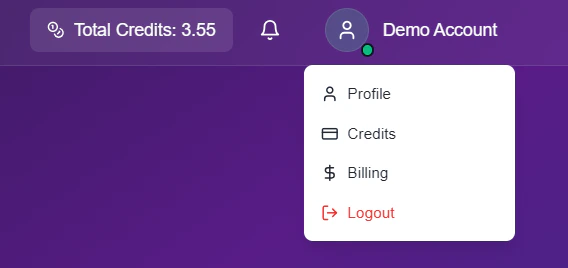
Profile Dropdown Menu
Account Details
Update your contact information to ensure your invoices and notifications reach the right place.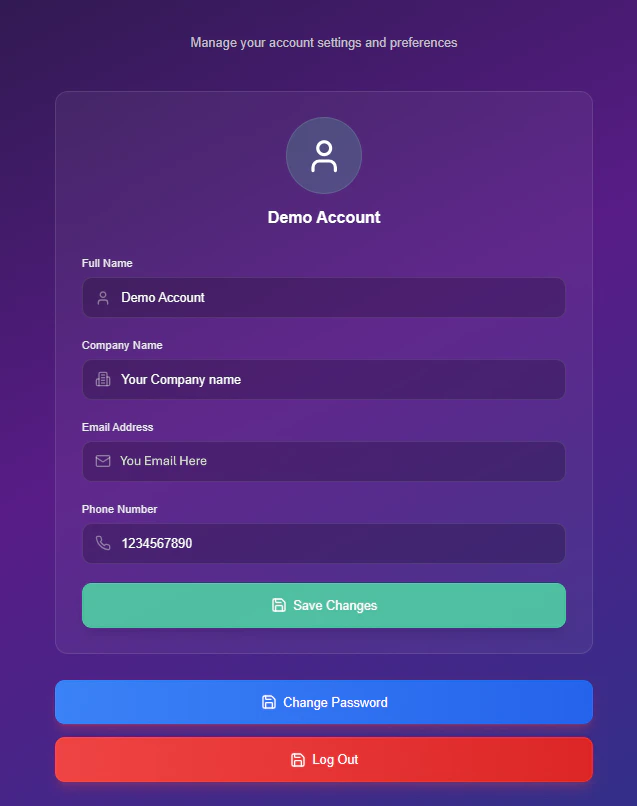
Edit Profile Interface
Profile Fields
- Full Name: This will be your display name across the dashboard.
- Company Name: This appears on all your official invoices.
- Phone Number: Your direct line for account support.
- Email Address: Your unique login ID (Read-Only).
Locked Field: For security reasons, you cannot change your email address directly. If you need to update your login email, please contact our support team.
Security Settings
Follow this secure workflow to update your password.1
Initiate Change
Click the blue Change Password button located at the bottom of the profile card.
2
Verify Identity
A security modal will appear to confirm the request.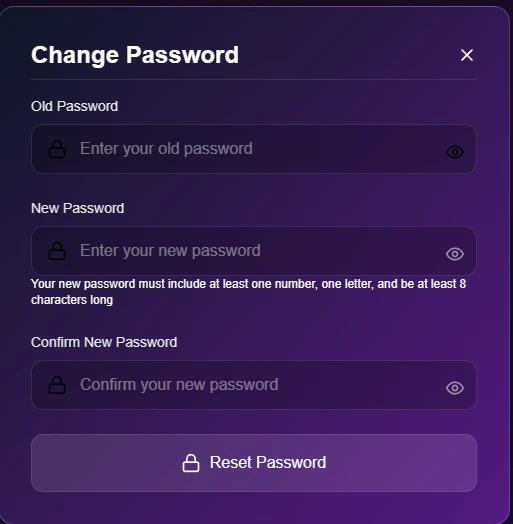
- Old Password: Enter your current password to authorize the change.
- New Password: Create a strong password (must include numbers and letters).
- Confirm: Retype the new password to prevent typos.
3
Save
Click Reset Password to finalize the change.