

Analytics Overview
The Analytics Dashboard provides a holistic view of your AI workforce. Use this data to optimize spend, improve script performance, and identify high-traffic regions.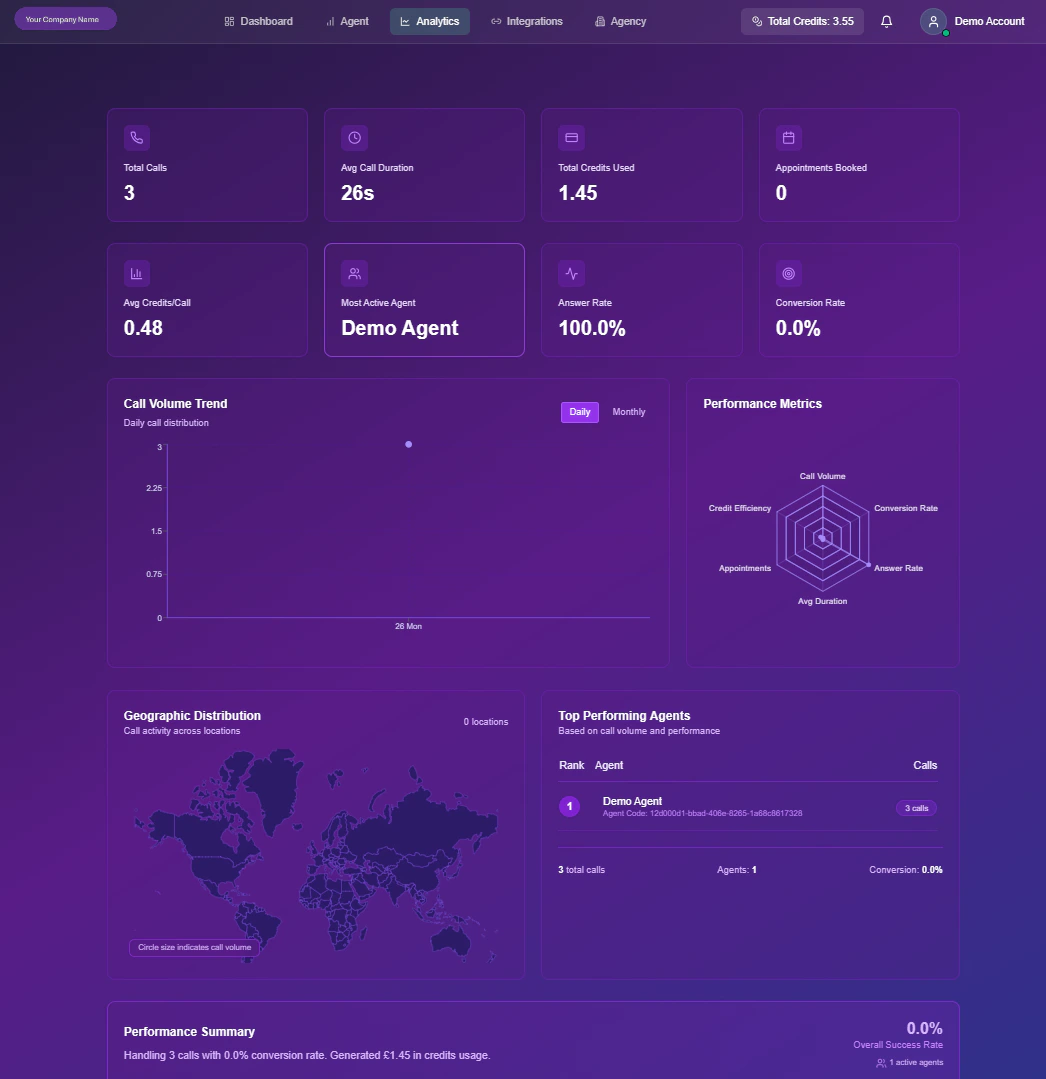
Real-time Analytics Interface
Key Performance Indicators (KPIs)
The top ribbon of your dashboard displays 8 critical health metrics. These are updated in real-time as calls process.Total Calls
Aggregate count of inbound & outbound sessions.
Avg Duration
Mean length of conversations (e.g., 1m 42s).
Total Credits
Cumulative cost incurred for the period.
Appointments
Total successful bookings confirmed.
Cost / Call
Average credit burn rate per interaction.
Top Agent
The specific bot handling the most volume.
Answer Rate
% of outbound calls picked up by humans.
Conversion
Success rate for defined goals (e.g., Sales).
Visual Intelligence
Beyond raw numbers, Snowie visualizes trends to help you spot patterns.1. Volume & Trends
Chart Type: Line GraphThis graph plots call volume over time. Use the toggle to switch between
Daily (tactical view) and Monthly (strategic view) to spot peak traffic hours or seasonal spikes.
2. Efficiency Radar
Chart Type: Radar / Spider WebA multi-variable comparison of your overall efficiency. It balances four competing metrics:
- Credit Efficiency: Are you spending wisely?
- Call Volume: Are you scaling?
- Conversion Rate: Are calls successful?
- Answer Rate: Is your data quality good?
3. Geographic Heatmap
Chart Type: World MapVisualizes the physical location of your leads. Larger “bubbles” indicate higher call density in that region, helping you localize prompts or acquire local phone numbers.
4. Agent Leaderboard
Chart Type: Horizontal BarA ranking of your agents (e.g., “Sales Bot” vs. “Support Bot”) by total workload. Use this to identify which agent configurations are being utilized the most.