

Video Guide: Setting up Integrations
Overview
Snowie AI integrates with HubSpot to bridge the gap between AI interactions and your CRM. This integration allows you to:- Automate Lead Entry: Instantly push contact details captured by AI agents into HubSpot.
- Centralize Conversation Data: View full AI interaction summaries directly on the HubSpot contact timeline.
Install the App
Follow the guide below to connect your HubSpot account to Snowie AI.1
Access Snowie Integrations
Start by logging into your account.
- Open your Snowie.ai dashboard.
- Click on the Integrations tab in the top navigation bar.
- Find the card labeled Login with HubSpot.
2
Initiate HubSpot Login
Start the handshake process.
-
Click the green Connect with HubSpot button.
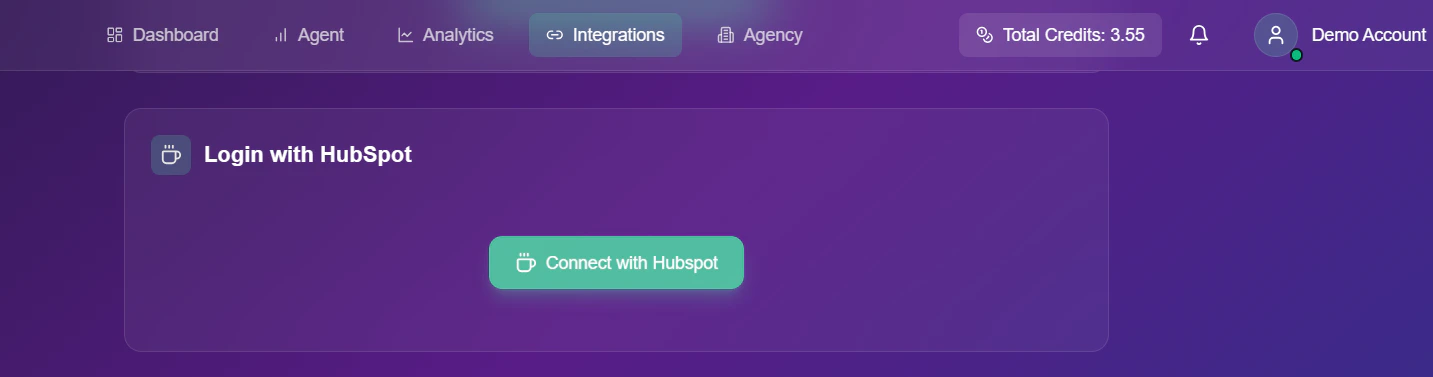
- You will be automatically redirected to the secure HubSpot authorization portal.
3
Choose Your HubSpot Account
Select the correct portal.
-
On the Choose an account screen, click the radio button next to the HubSpot portal you want to link.
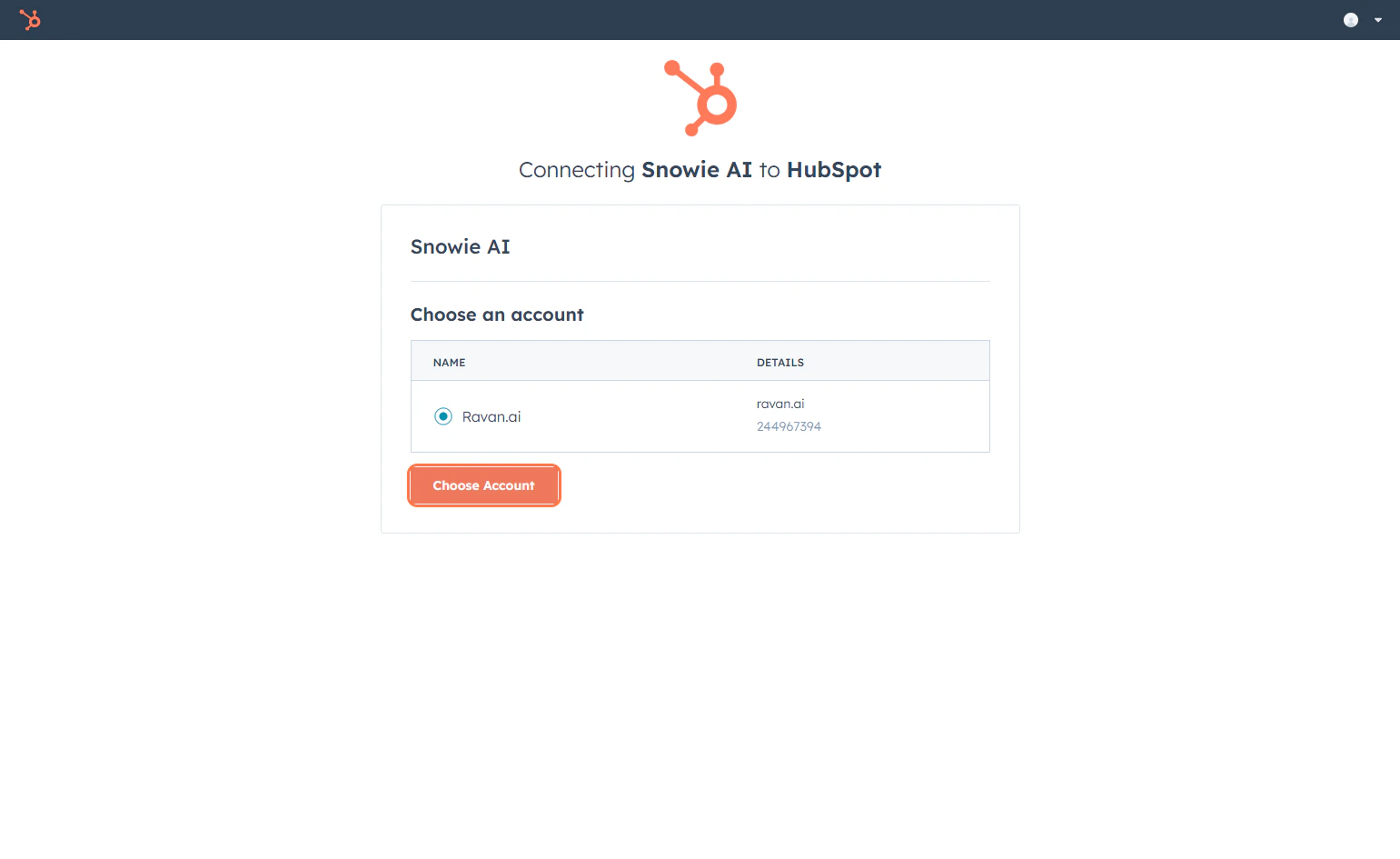
- Click Choose Account to confirm.
4
Finalize Installation
Complete the connection permissions.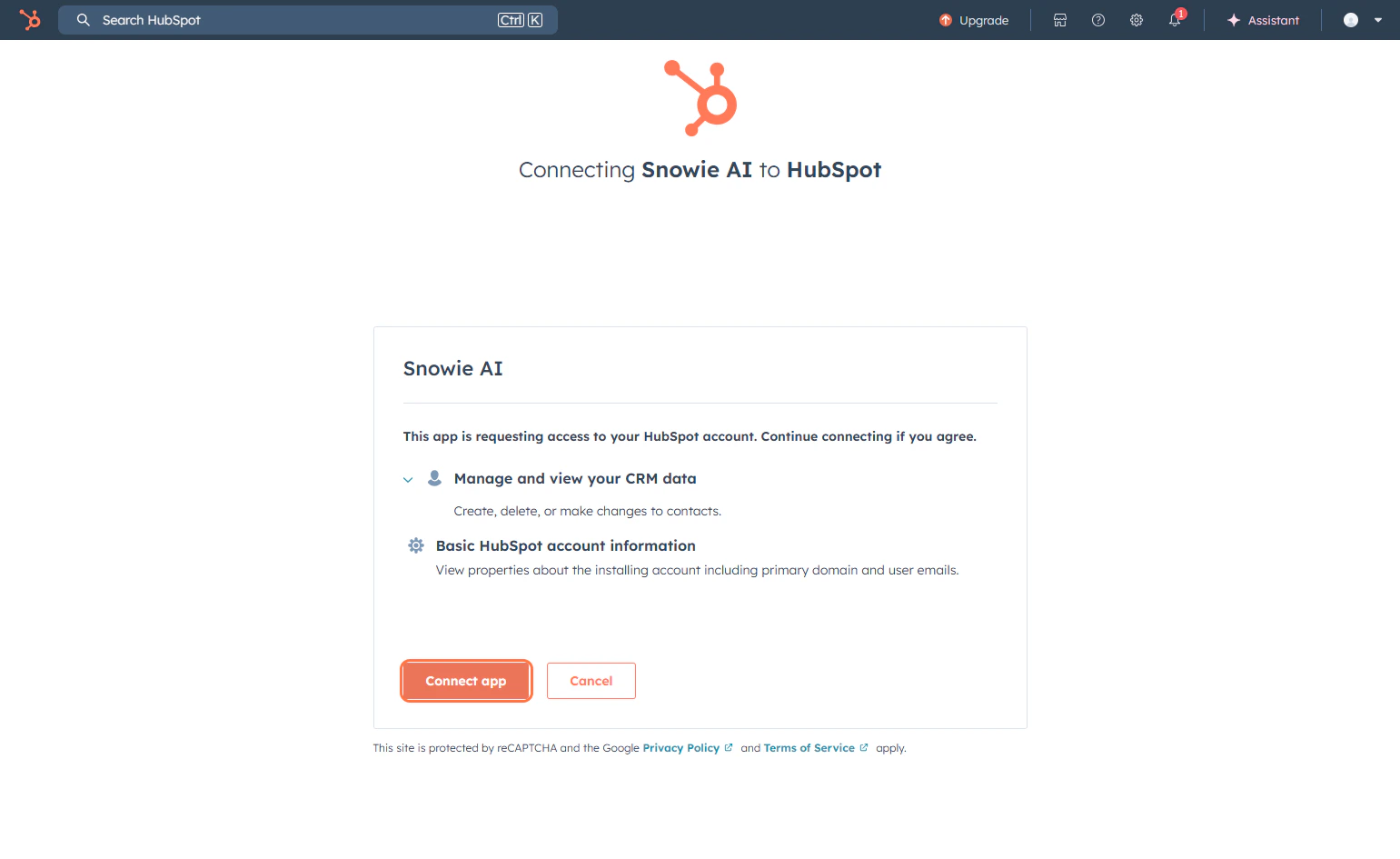
- Review the requested permissions and click the orange Connect app button.
- You will be redirected back to Snowie.ai, and the status indicator should now read Connected.