

Overview
The Billing page is the financial hub of your account. Unlike the Credits page (which handles usage), this section controls your access to the Snowie platform itself.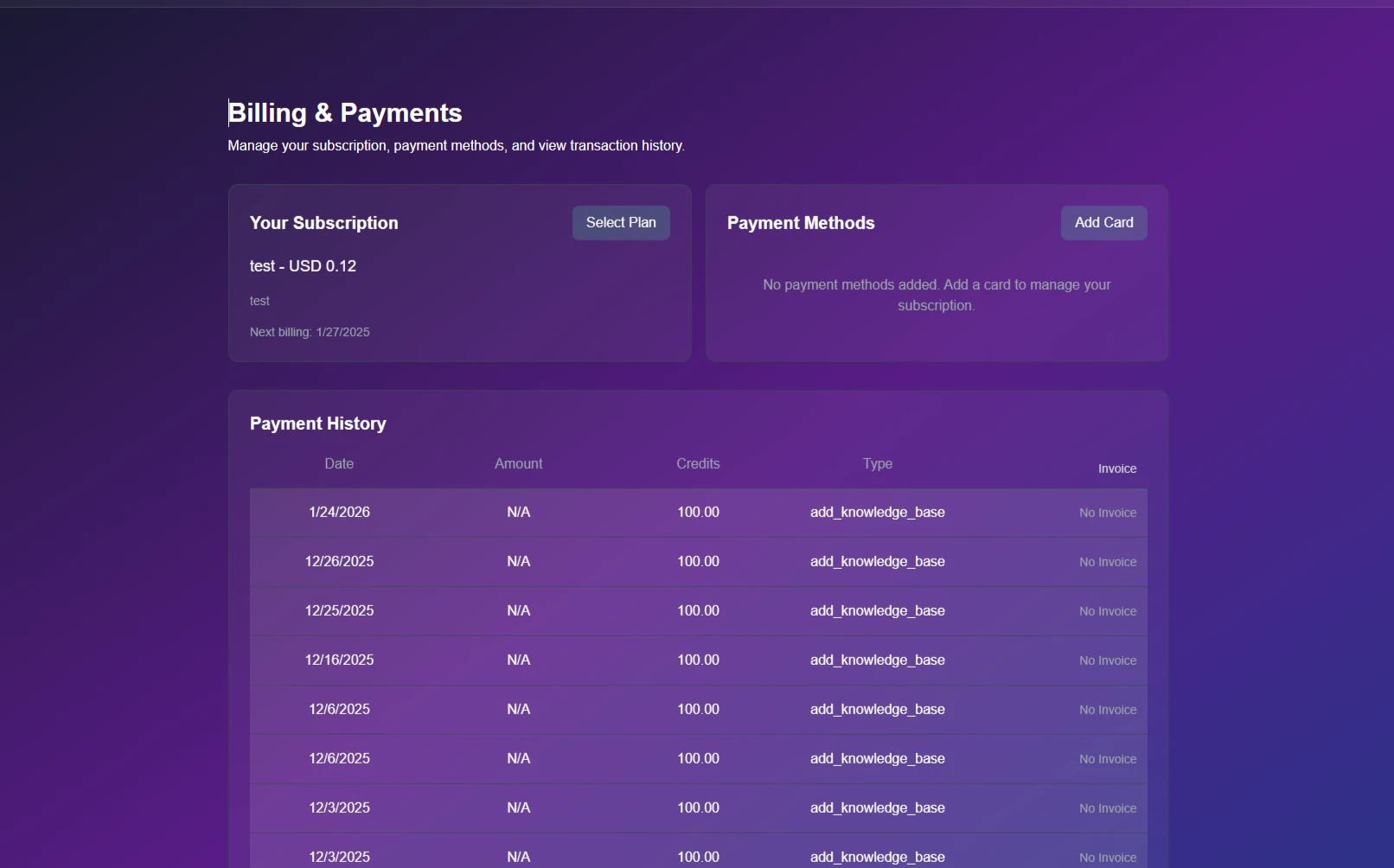
Billing Dashboard
Subscription Management
Your current plan status and renewal dates are displayed at the top of the page.- Current Plan: Indicates your active tier (e.g., “Snowie.ai Monthly”).
- Next Billing: The specific date your credit card will be charged for the renewal.
Changing Your Plan
Follow these steps to upgrade or downgrade your SaaS tier.1
Open Selection Menu
Click the blue Select Plan button located on your subscription card.
2
Choose Tier
A modal will appear displaying the available options.
- Compare: Review the pricing (e.g., 297/mo) and feature sets.
- Select: Click the plan you wish to switch to.
- Note: Charges may be prorated based on your current billing cycle.
Payment Methods
Securely manage the cards used for automatic renewals.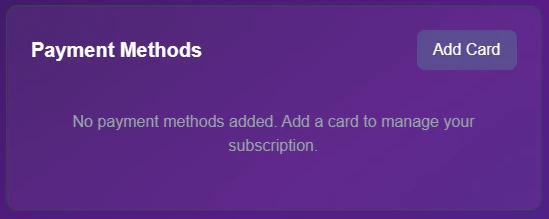
Stored Cards
- Add Card: Click to enter a new payment method securely via Stripe.
- Default Card: If you have multiple cards, the one marked Default will be prioritized for all charges.
Transaction History
This table acts as your consolidated ledger. It records every financial interaction, including subscription fees, credit top-ups, and one-time purchases.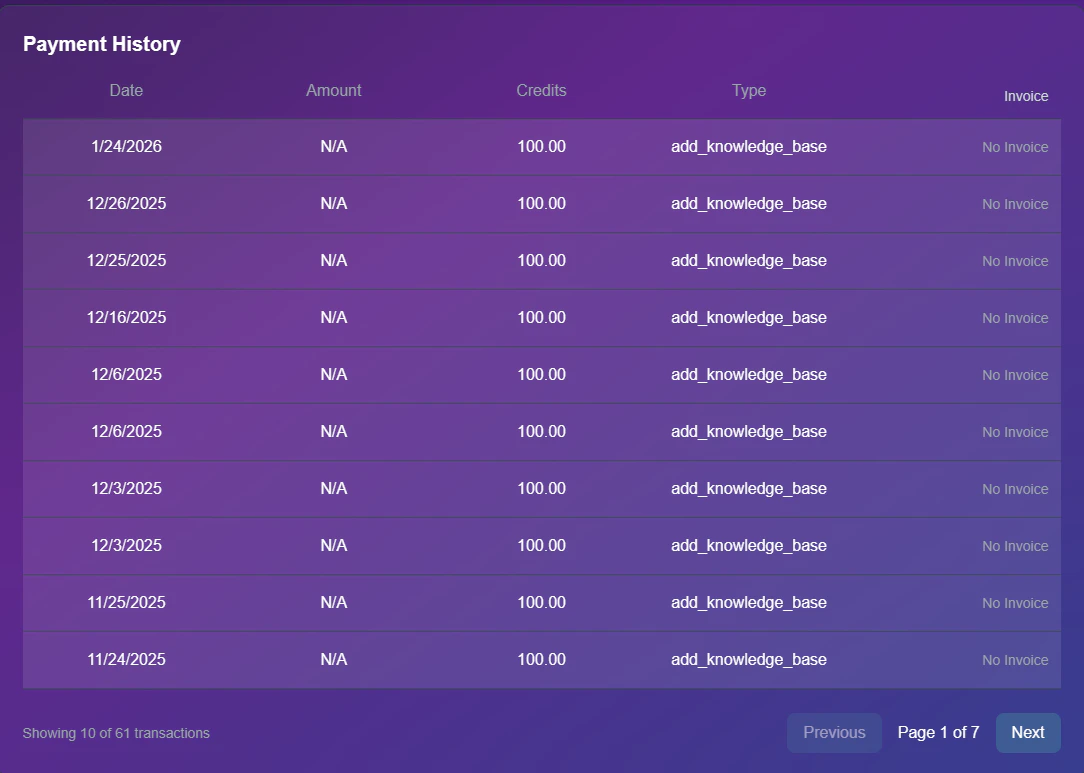
Financial Ledger
Understanding the Columns
Understanding the Columns
- Date: The exact timestamp of the transaction.
- Amount: Total charge in USD.
- Type: The category of the charge (e.g.,
subscription_renewaloradd_knowledge_base). - Invoice: Click the download icon to retrieve a PDF receipt for your tax records.
Cross-Reference: This history mirrors the data found on the Credits Page, but provides the additional ability to download official PDF invoices.