

Overview
The Credits ecosystem fuels your AI workforce. Every minute of conversation consumes credits from your balance. To manage this, select Credits from the profile dropdown menu.Purchase Credits
Select a one-time top-up package that fits your immediate needs.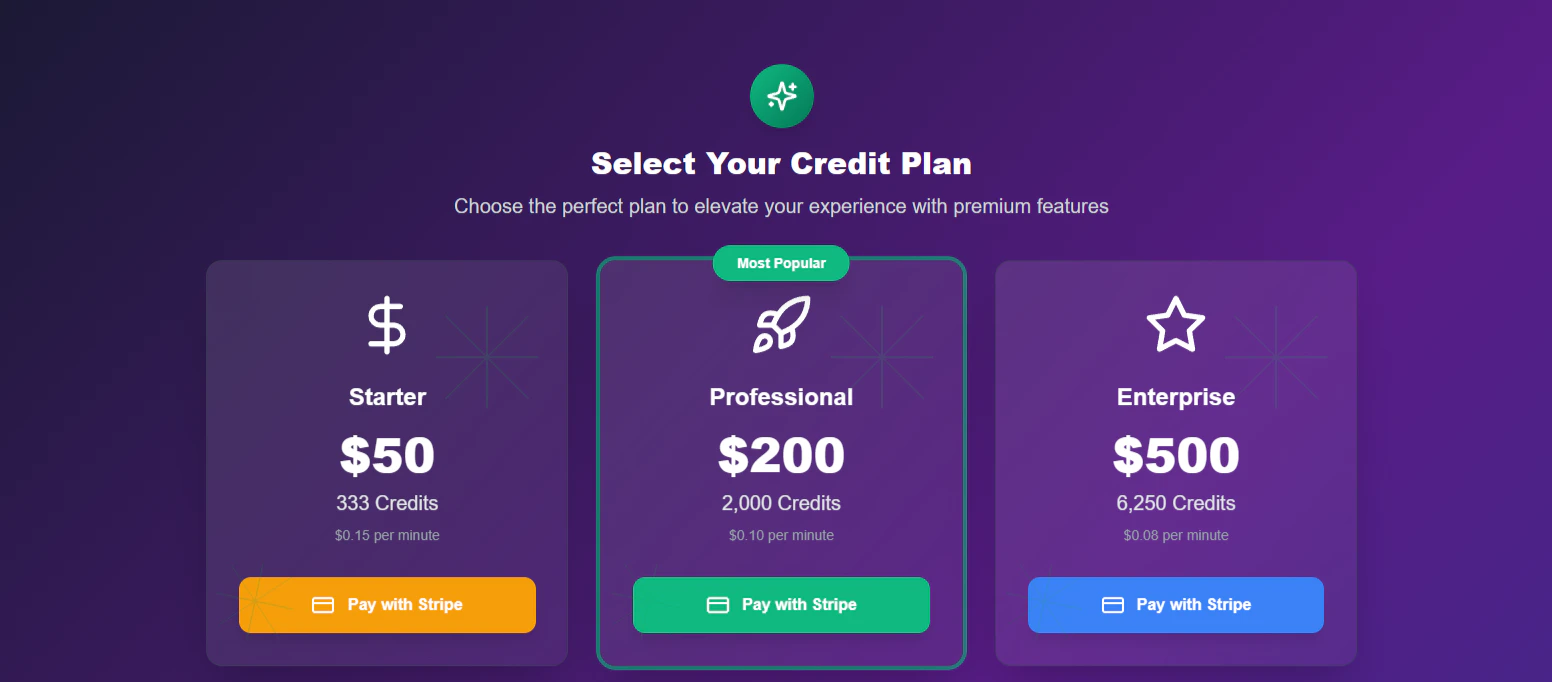
Credit Packages
- Starter: Ideal for initial testing and low volume.
- Professional: The standard choice for growing businesses.
- Enterprise: High-volume packages for power users.
Auto-Recharge
Ensure your agents never go offline by automating your balance top-ups.1
Enable Feature
Locate the Auto-Recharge toggle switch at the top of the settings card.
2
Configure Triggers
Define your safety net rules: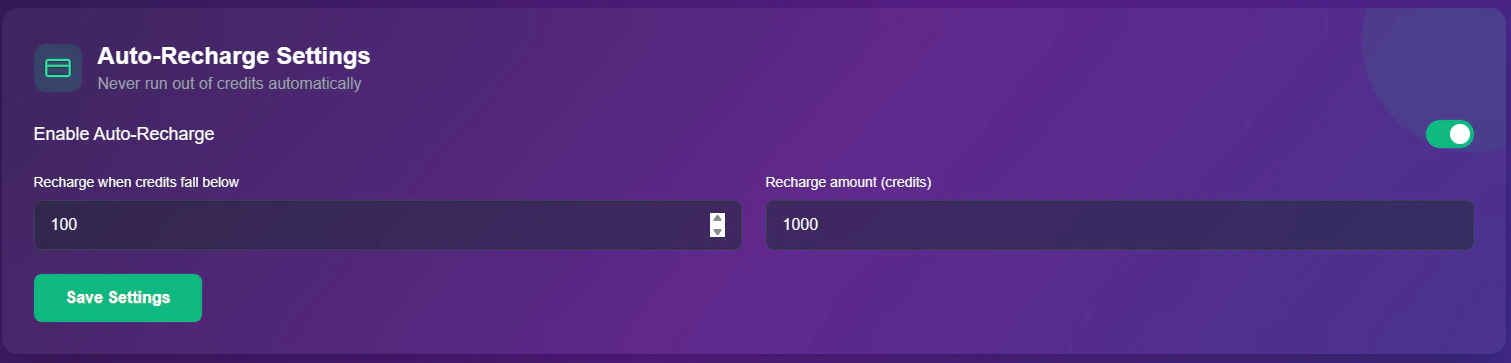
- Threshold: The “Low Balance” warning level (e.g., Recharge when credits fall below 100).
- Top-Up Amount: The specific volume to purchase automatically (e.g., Buy 1000 credits).
3
Save
Click Save Settings to activate the automation.
Transaction History
A detailed log of every credit interaction on your account.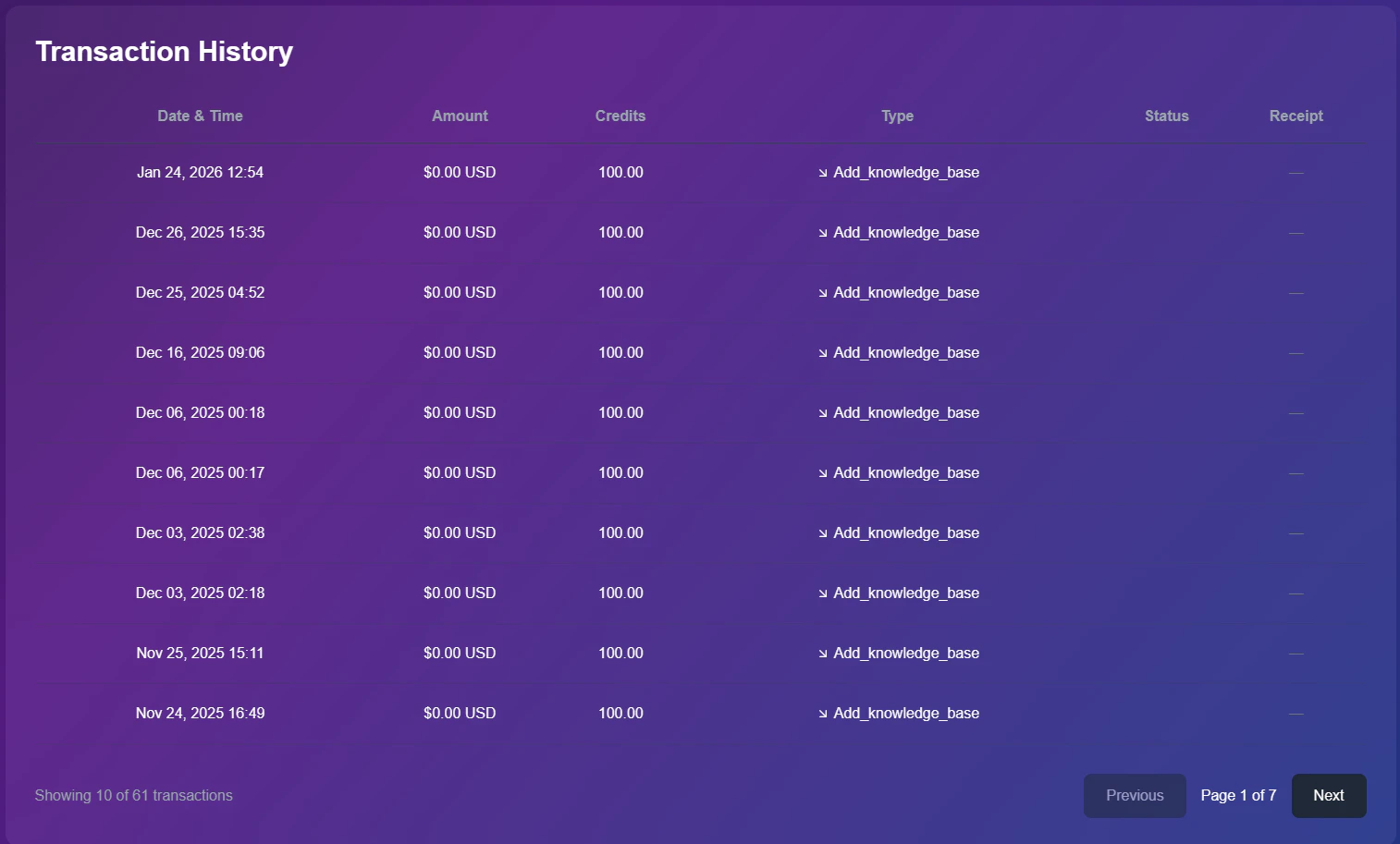
Purchase Log
Data Columns
- Date & Time: Exact timestamp of the purchase.
- Amount: Total cost in USD.
- Credits: The net volume added to your balance.
- Type: The trigger source (e.g.,
Plan_PurchaseorAdd_knowledge_base).
Scope Notice: This history reflects transactions for your Personal Workspace only. Transactions related to your Agency Dashboard clients are tracked separately in the Agency Billing section.