

Video Guide: Setting up Integrations
Overview
Connect your HighLevel (GoHighLevel) account to Snowie.ai to automatically sync contacts and enable seamless calendar bookings for your AI agents.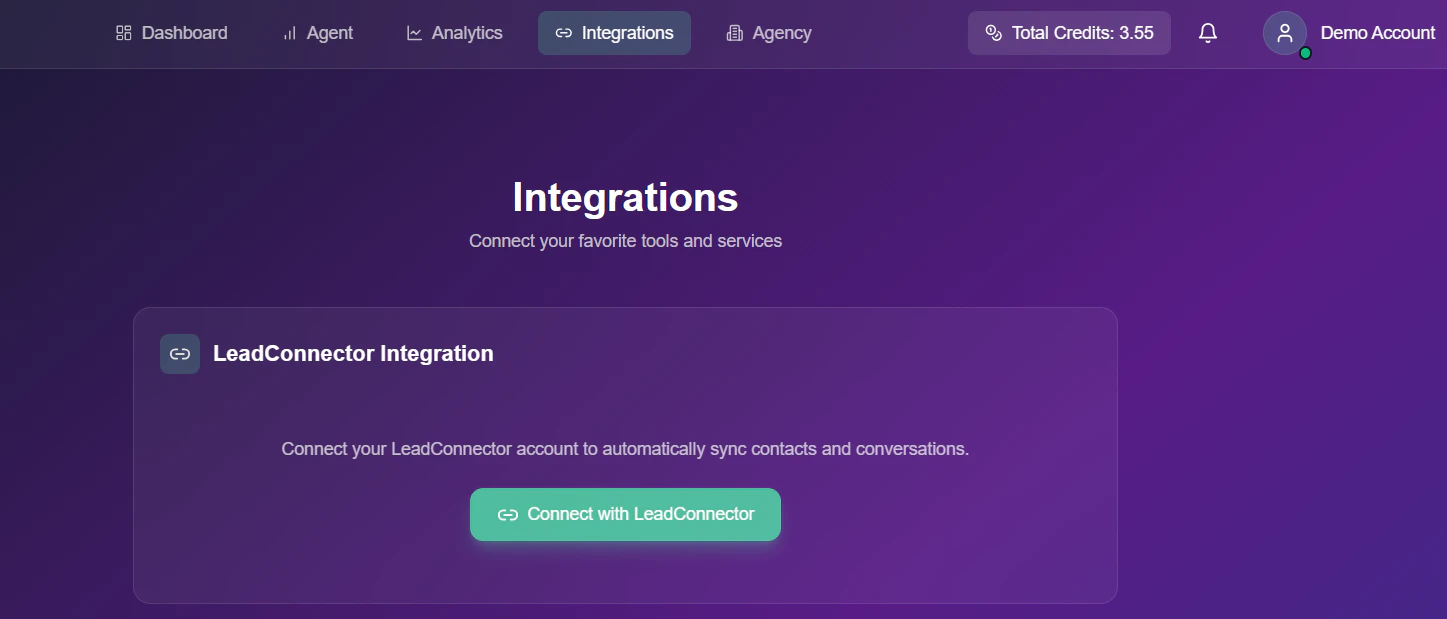
Step-by-Step Connection Guide
Follow these steps exactly to link your LeadConnector account.1
Access Integrations
Navigate to the Integrations tab from the top navigation bar in your Snowie dashboard.
2
Initiate Connection
Locate the LeadConnector Integration card and click the green Connect with LeadConnector button.
3
Install Confirmation
A new window will open showing the Install Confirmation screen.
- Action: Click the blue Next button at the bottom right to proceed.
4
Select Your Account (Agency First)
After confirming the installation, you will be redirected to the Select an Account page.
- Selection: Locate your Agency name in the list to begin the handshake.
- Redirect Loop Warning: If you select a sub-account instead of the Agency account at this stage, you will see a red alert: “Select a Sub Agency. Redirecting in 1 seconds…” and be pushed back to this selection screen.
5
Finalize: Sub-Agency Connection
Once the Agency account is successfully selected, the system will redirect you back to app.snowie.ai.
- Automatic Prompt: You will be immediately prompted to complete the Sub-Agency Account Connection.
- Final Redirection: The system will automatically send you back to the Select Your Account page one last time.
- Choosing the Sub-Account: Now, you can finally select the specific Sub-Account you wish to manage within your Snowie workspace.
Kindly Note: You cannot connect a sub-account directly to Snowie.ai without first authorizing your Agency account. Attempting to skip the Agency selection will result in an automatic redirection loop to protect the integration handshake.
Troubleshooting
- Stuck in Redirection: If you are repeatedly prompted to select an account, ensure your first selection was the Agency level account.
- Sub-Account Missing: Ensure you have the necessary permissions within the GHL Agency settings for the sub-accounts you want to link.