

Video Guide: Setting up Integrations
Overview
Snowie.ai allows you to “Bring Your Own Carrier.” By connecting your personal Twilio account, you retain full control over your phone numbers and billing directly through Twilio.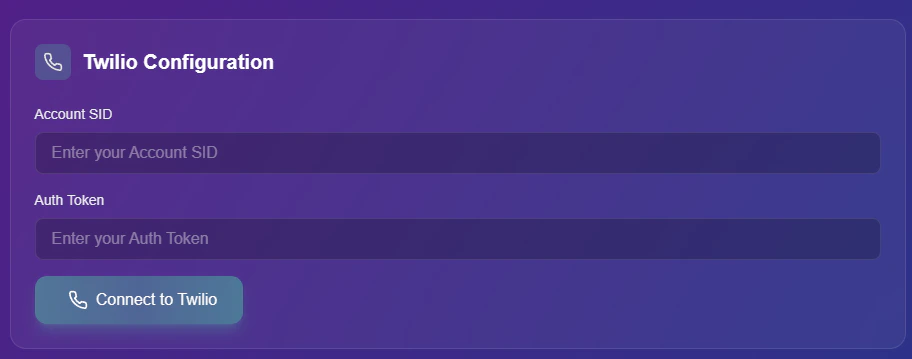
Twilio Integration Panel
Connection Guide
Follow these steps to link your Twilio credentials.1
Retrieve Credentials
Log in to your Twilio Console dashboard to find your API keys.
- Account SID: Copy your unique Account SID.
- Auth Token: Copy your secure Auth Token.
2
Authenticate
Return to the Snowie dashboard.
- Paste the Account SID and Auth Token into the respective fields.
- Click the Connect to Twilio button to verify the connection.
Managing Numbers
Once the connection is established, you can manage your inventory directly within the Snowie interface.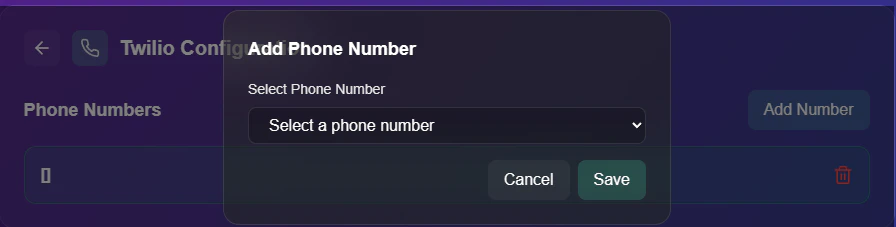
Number Management Interface
Assigning a Line
- Add Number: Click the button to view your available Twilio inventory. You can select an existing number or purchase a new one to assign to your agents.