Revenue Models

As an agency, you have two distinct levers to monetize your user base.

Subscriptions

Recurring Revenue: Monthly SaaS plans (e.g., “Pro Plan - $97/mo”) that grant access to the platform.

Credit Packs

Usage Revenue: One-time top-ups (e.g., “500 Credits - $50”) purchased when users run low.

1. Subscription Plans

These are your core SaaS tiers. Users must subscribe to one of these plans to access the dashboard.
1

Initiate Creation

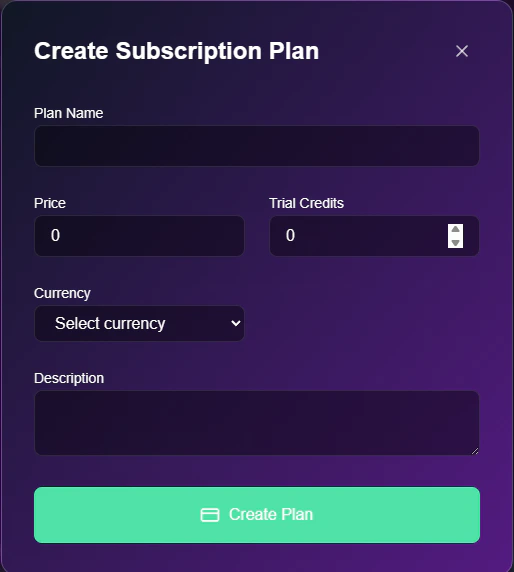
Navigate to the bottom of the Agency tab and click the Create Subscription Plan button.
2

Define Plan Details

Fill in the pricing and limits.
Stripe Subscription
  • Plan Name: The display name (e.g., “Starter”).
  • Price: The monthly cost in USD.
  • Trial Credits: The amount of “free” credits users receive automatically every month upon renewal.

2. Credit Plans

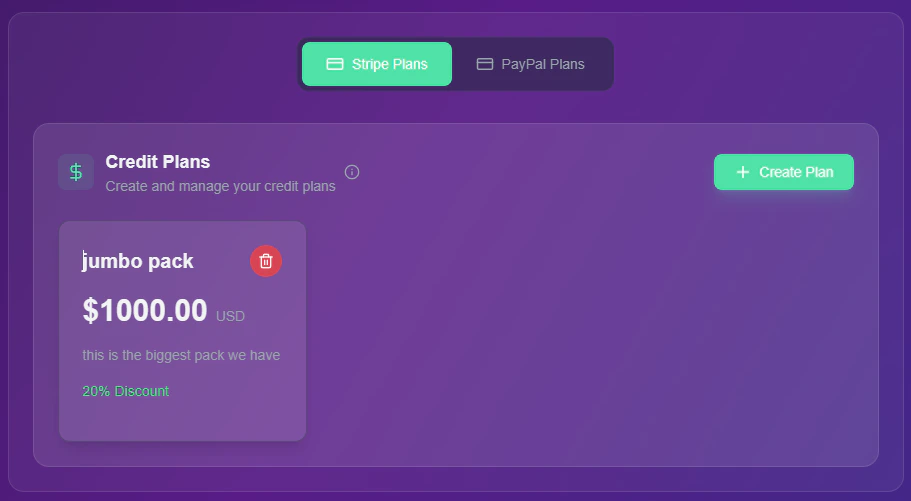
Users buy these packs when they exhaust their monthly allowance.
Credit Plans Dashboard

Creating a Credit Pack

Follow this workflow to create a top-up option.
1

Select Payment Provider

Scroll to the Credit Plans card and click + Create Plan.
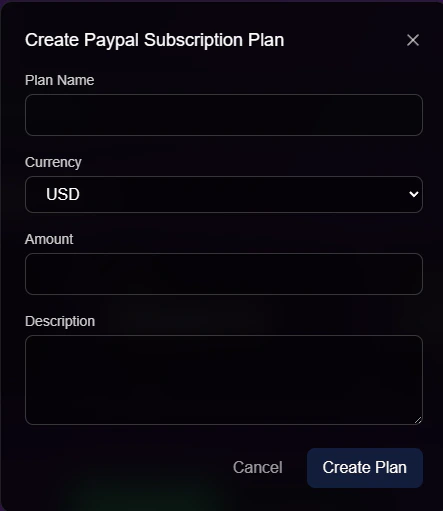
  • Note: You must switch between the Stripe Plans and PayPal Plans tabs to ensure the product is created in the correct gateway.
2

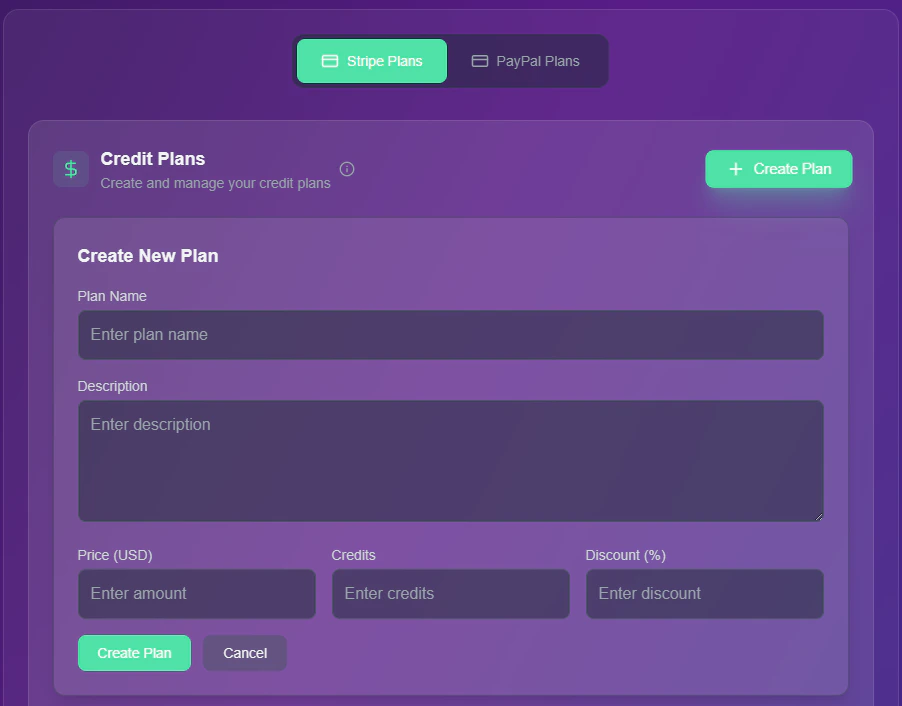
Configure Package

Enter the value proposition for the pack.
Create Credit Plan
  • Plan Name: Internal identifier (e.g., “High Volume Pack”).
  • Description: User-facing text (e.g., “Best value for power users”).
  • Price (USD): The cash cost to the client.
  • Credits: The exact credit value added to their wallet.
  • Discount (%): (Optional) Add a “sale” badge to encourage bulk buying.
Pricing Strategy: Create 3 tiers of credit packs (Small, Medium, Large). Offer higher discounts on the larger packs (e.g., 5% off vs 20% off) to increase your Average Order Value (AOV).