
Overview
The Dashboard tab is your central hub for managing sub-accounts. It gives you a birds-eye view of your entire agency’s health and individual client performance.
Agency Client Overview
Agency Health
At the top of the page, 4 key metrics provide a real-time health check of your business.Total Clients
The number of users onboarded (e.g., 49).
Total Credits
Cumulative balance across your entire ecosystem.
Active Agents
Total bots deployed by all clients combined.
System Health
Uptime and performance status (e.g., 99.9%).
Onboarding Clients
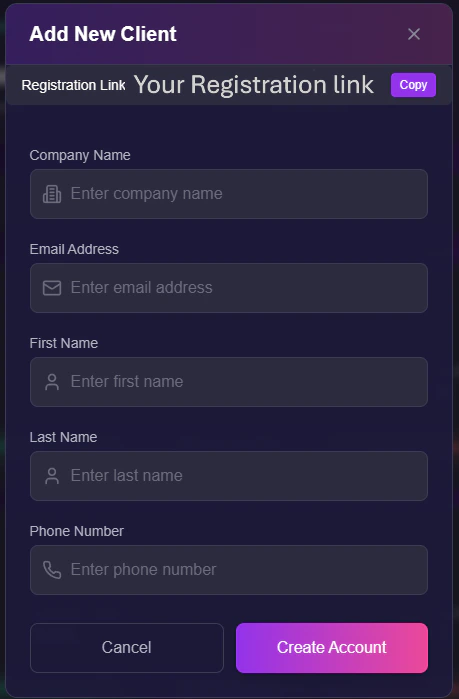
To bring a new user onto your platform, click the + Add Client button. Choose your preferred method below:- Link (Self-Service)
- Manual (Done-For-You)
Best for scaling. Send a link and let the client do the work.
- Copy Link: Grab the unique URL (e.g.,
https://app.youragency.com/register). - Send: Email this to your lead. They will create their own password and profile.
Managing Clients
Each user appears as a card in your list. This card acts as the “Control Panel” for that specific sub-account.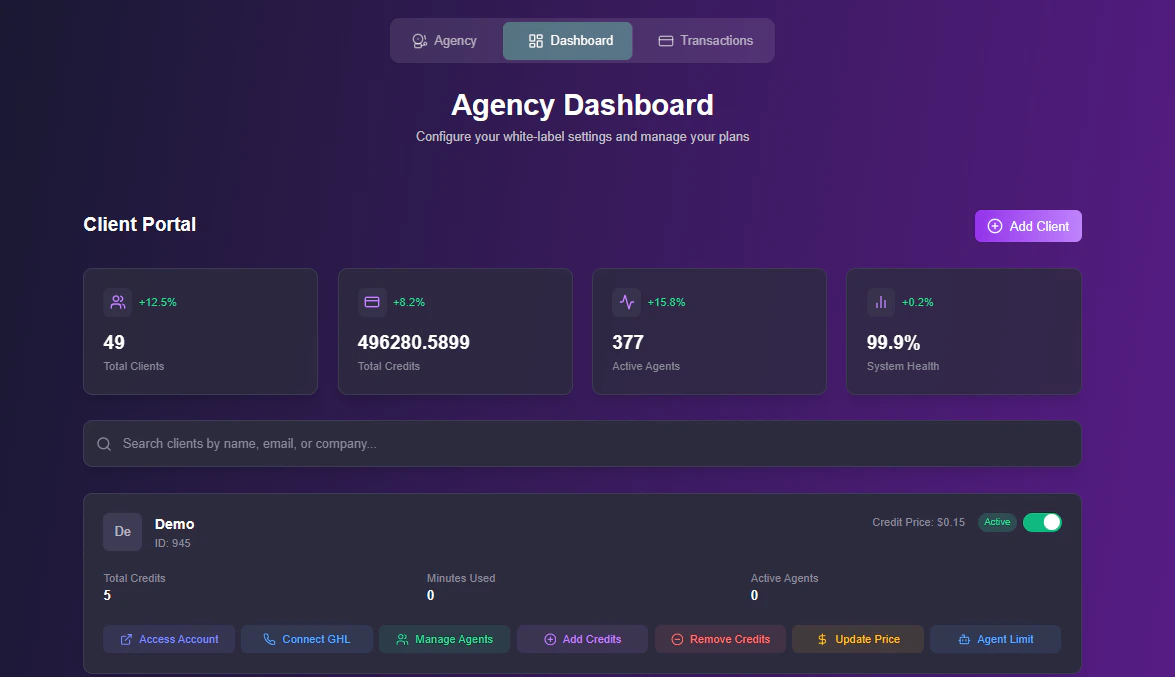
Client Control Card
1. Access & Security
- Suspend User: Use the toggle in the top-right to instantly lock a client out (useful for non-payment).
- Impersonate: Click Access Account to view the dashboard as the client. This allows you to debug issues or build agents on their behalf.
- Connect GHL: Only you (The Agency Owner) can authorize a HighLevel connection. Clients cannot perform this handshake themselves.
2. Credit Banking
You act as the central bank for your users.
- Add Credits: Transfer credits from your Master Balance to the client.
- Remove Credits: Take unused credits back from a client.
Removed credits are returned to your agency master balance.
- Update Price: Set a custom Cost Per Credit for this specific user (e.g., User A pays 0.15).
3. Restrictions & Locking
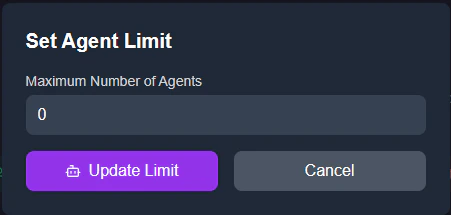
Protect your intellectual property by limiting what clients can touch.- Agent Limit: Set a hard cap on the number of bots they can create (e.g., “Max 5”).
- Lock Configuration: When viewing a client’s agent list, you can Lock specific bots.
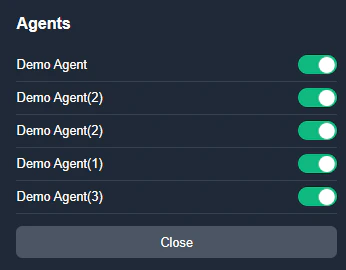
- Effect: The client can use the agent, but they cannot edit the prompt or settings.
- Use Case: Perfect for selling “Done-For-You” setups where you don’t want clients breaking the prompt logic.