> ## Documentation Index
> Fetch the complete documentation index at: https://support.snowie.ai/llms.txt
> Use this file to discover all available pages before exploring further.
# Manage Agents
> Organize and edit your existing assistants
## Your Agents List
The **Your Agents** section displays all the assistants you have created.
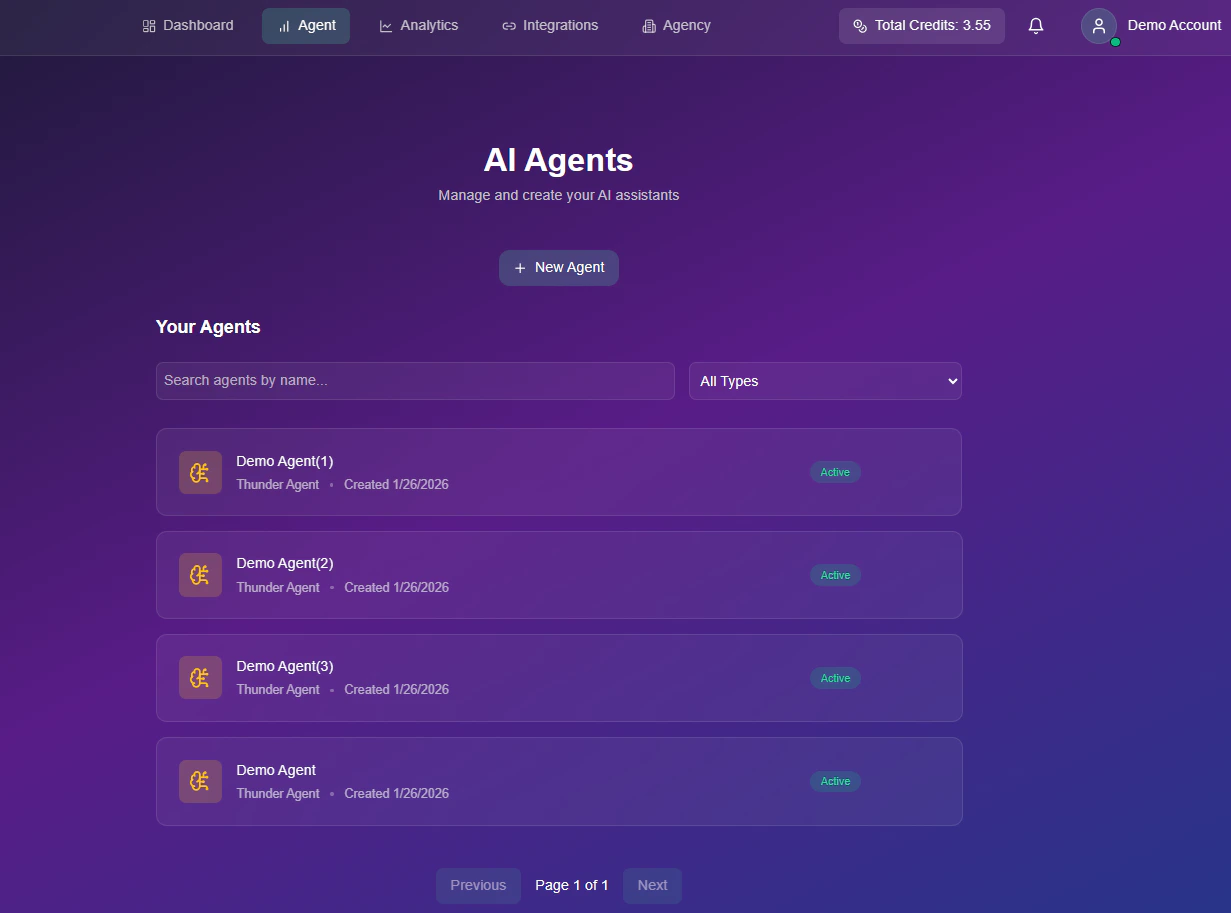 ### Search & Filtering
Use the toolbar to quickly find specific agents:
* **Search Bar:** Filter agents by name.
* **Type Filter:** specific view (e.g., All Types).
### Quick Actions
Each agent card allows you to perform immediate management tasks:
View if the agent is currently **Active** (Green) or **Inactive**.
Open the configuration menu to update voice, prompts, or settings.
Permanently remove the agent.
### Search & Filtering
Use the toolbar to quickly find specific agents:
* **Search Bar:** Filter agents by name.
* **Type Filter:** specific view (e.g., All Types).
### Quick Actions
Each agent card allows you to perform immediate management tasks:
View if the agent is currently **Active** (Green) or **Inactive**.
Open the configuration menu to update voice, prompts, or settings.
Permanently remove the agent.