> ## Documentation Index
> Fetch the complete documentation index at: https://support.snowie.ai/llms.txt
> Use this file to discover all available pages before exploring further.
# Transactions
> Monitor revenue and credit history
## Overview
The **Transactions** tab serves as the financial ledger for your agency. It logs every single economic interaction between you and your sub-accounts, providing a transparent audit trail for revenue and credit flow.
 ## Revenue Metrics
The top ribbon displays a high-level summary of your financial performance.
The cumulative cash value of all plans and credits sold.
The count of clients currently contributing to revenue.
Total volume of AI credits distributed to your user base.
The percentage increase in revenue over the last period.
***
## Transaction Log
The main body of the page lists every individual event in chronological order.
## Revenue Metrics
The top ribbon displays a high-level summary of your financial performance.
The cumulative cash value of all plans and credits sold.
The count of clients currently contributing to revenue.
Total volume of AI credits distributed to your user base.
The percentage increase in revenue over the last period.
***
## Transaction Log
The main body of the page lists every individual event in chronological order.
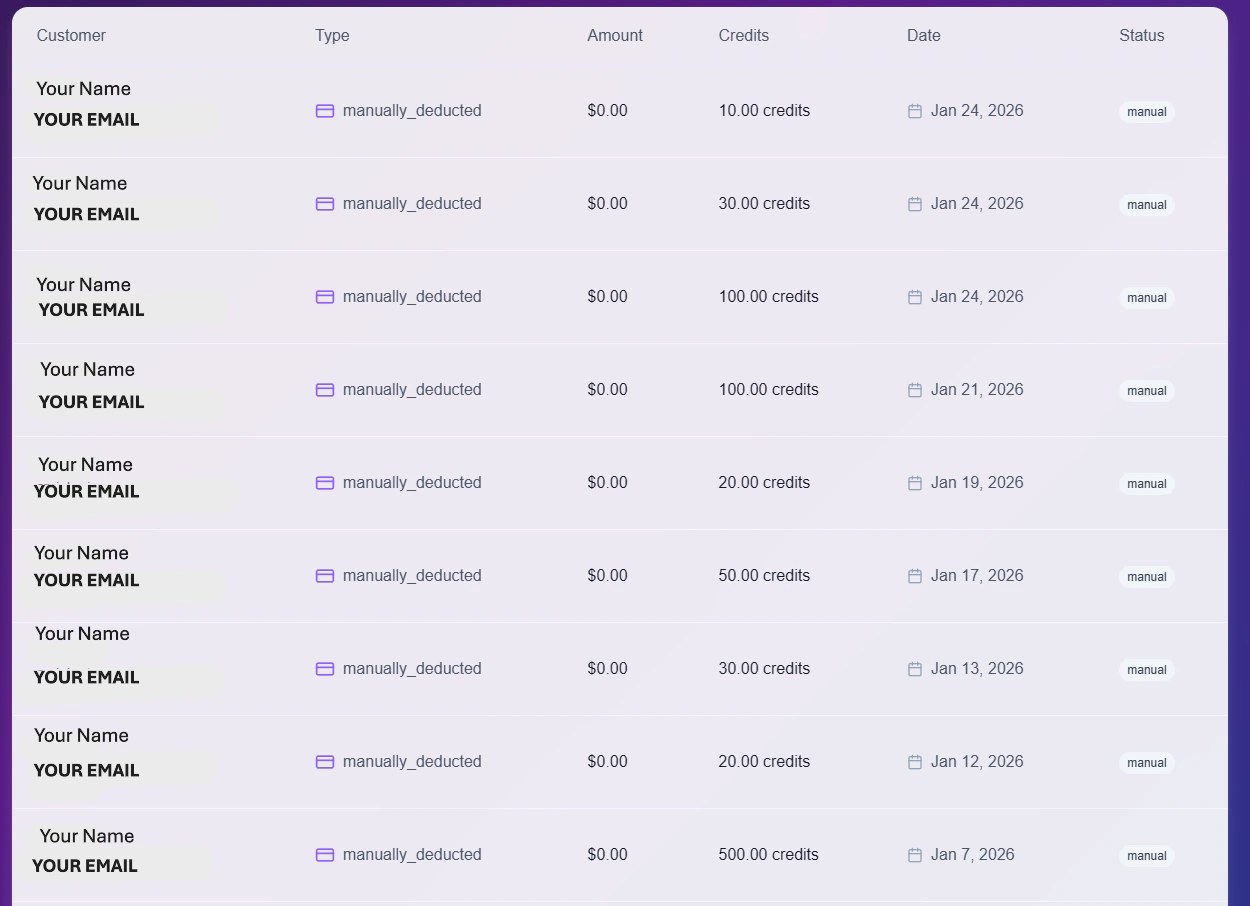 ### Data Columns
* **Customer:** The unique email and ID of the client involved.
* **Type:** The classification of the event (e.g., `manually_deducted` for adjustments, or `subscription_payment` for renewals).
* **Amount:** The actual currency value (USD) processed, if applicable.
* **Credits:** The specific number of AI credits added or removed.
* **Status:** Visual indicator of the result: `Manual`, `Success`, or `Failed`.
### Tools & Filters
Use the control bar to analyze your data:
* **Search:** Quickly locate specific transactions by typing a client's email or ID.
* **Filter:** Toggle views to isolate specific payment types (e.g., View only **Stripe** charges vs. **Manual** adjustments).
* **Export:** Click the **Export Data** button to download the complete ledger as a CSV file for external accounting.
### Data Columns
* **Customer:** The unique email and ID of the client involved.
* **Type:** The classification of the event (e.g., `manually_deducted` for adjustments, or `subscription_payment` for renewals).
* **Amount:** The actual currency value (USD) processed, if applicable.
* **Credits:** The specific number of AI credits added or removed.
* **Status:** Visual indicator of the result: `Manual`, `Success`, or `Failed`.
### Tools & Filters
Use the control bar to analyze your data:
* **Search:** Quickly locate specific transactions by typing a client's email or ID.
* **Filter:** Toggle views to isolate specific payment types (e.g., View only **Stripe** charges vs. **Manual** adjustments).
* **Export:** Click the **Export Data** button to download the complete ledger as a CSV file for external accounting.