> ## Documentation Index
> Fetch the complete documentation index at: https://support.snowie.ai/llms.txt
> Use this file to discover all available pages before exploring further.
# Plans & Credits
> Create subscription tiers and credit top-up packages
## Revenue Models
As an agency, you have two distinct levers to monetize your user base.
**Recurring Revenue:** Monthly SaaS plans (e.g., "Pro Plan - \$97/mo") that grant access to the platform.
**Usage Revenue:** One-time top-ups (e.g., "500 Credits - \$50") purchased when users run low.
***
## 1. Subscription Plans
These are your core SaaS tiers. Users must subscribe to one of these plans to access the dashboard.
Navigate to the bottom of the **Agency** tab and click the **Create Subscription Plan** button.
Fill in the pricing and limits.
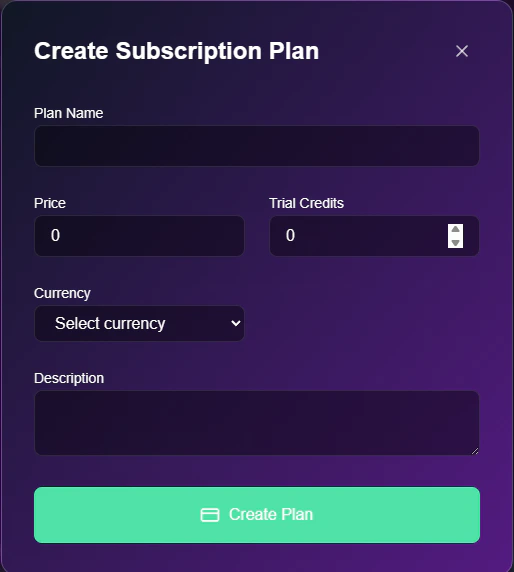
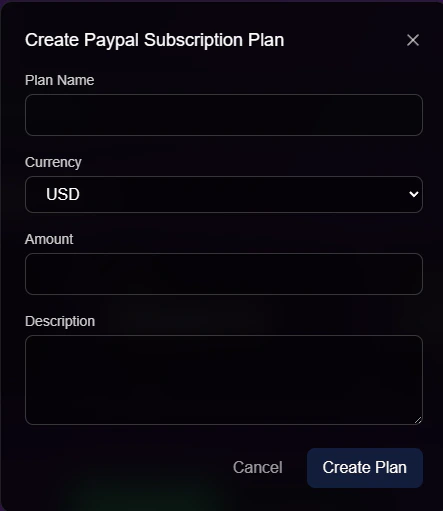 * **Plan Name:** The display name (e.g., "Starter").
* **Price:** The monthly cost in USD.
* **Trial Credits:** The amount of "free" credits users receive automatically every month upon renewal.
***
## 2. Credit Plans
Users buy these packs when they exhaust their monthly allowance.
* **Plan Name:** The display name (e.g., "Starter").
* **Price:** The monthly cost in USD.
* **Trial Credits:** The amount of "free" credits users receive automatically every month upon renewal.
***
## 2. Credit Plans
Users buy these packs when they exhaust their monthly allowance.
 ### Creating a Credit Pack
Follow this workflow to create a top-up option.
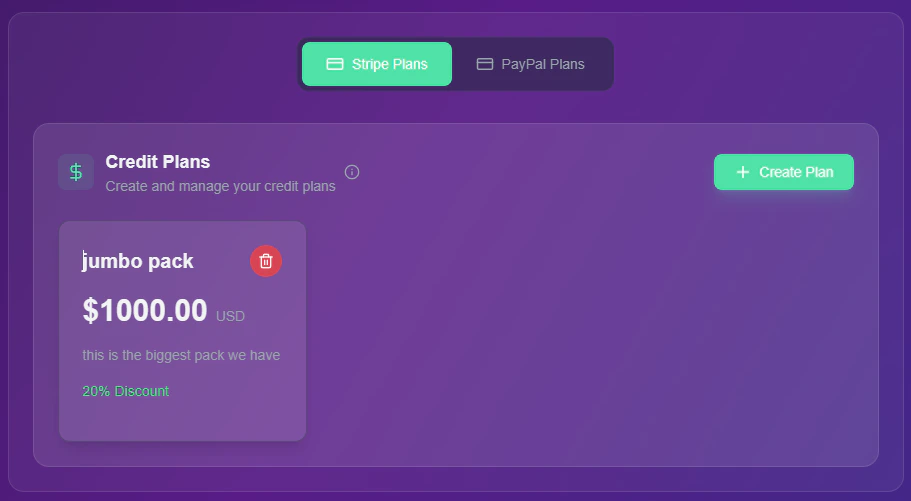
Scroll to the **Credit Plans** card and click **+ Create Plan**.
* *Note: You must switch between the **Stripe Plans** and **PayPal Plans** tabs to ensure the product is created in the correct gateway.*
Enter the value proposition for the pack.
### Creating a Credit Pack
Follow this workflow to create a top-up option.
Scroll to the **Credit Plans** card and click **+ Create Plan**.
* *Note: You must switch between the **Stripe Plans** and **PayPal Plans** tabs to ensure the product is created in the correct gateway.*
Enter the value proposition for the pack.
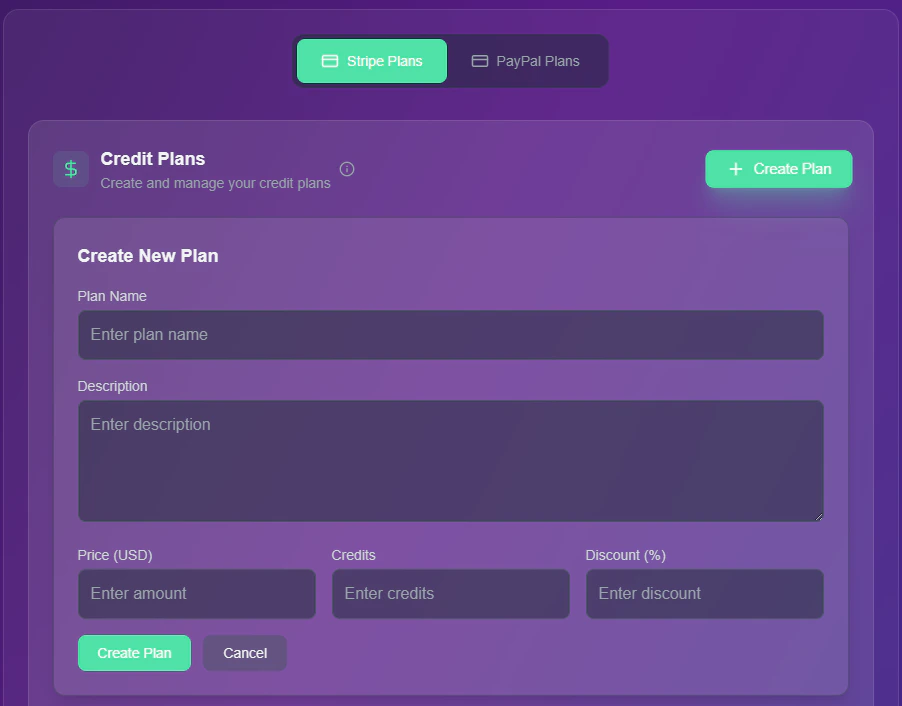 * **Plan Name:** Internal identifier (e.g., "High Volume Pack").
* **Description:** User-facing text (e.g., "Best value for power users").
* **Price (USD):** The cash cost to the client.
* **Credits:** The exact credit value added to their wallet.
* **Discount (%):** (Optional) Add a "sale" badge to encourage bulk buying.
**Pricing Strategy:** Create 3 tiers of credit packs (Small, Medium, Large). Offer higher discounts on the larger packs (e.g., 5% off vs 20% off) to increase your Average Order Value (AOV).
* **Plan Name:** Internal identifier (e.g., "High Volume Pack").
* **Description:** User-facing text (e.g., "Best value for power users").
* **Price (USD):** The cash cost to the client.
* **Credits:** The exact credit value added to their wallet.
* **Discount (%):** (Optional) Add a "sale" badge to encourage bulk buying.
**Pricing Strategy:** Create 3 tiers of credit packs (Small, Medium, Large). Offer higher discounts on the larger packs (e.g., 5% off vs 20% off) to increase your Average Order Value (AOV).